

Hi, everyone!
If you need to clean up specific Zendesk data sets, such as:
- Users without requested tickets
- Organizations without users
- Users with tickets that have specific tags or fields
- Users without new requests for some period of time
There is a quick and easy way to do it - with Combined Lists in the GDPR Compliance app.
How does it work?
1. The automatic method gives you ready-to-use templates for the most common scenarios and combinations. Just select the needed option, and the app will pull the results.
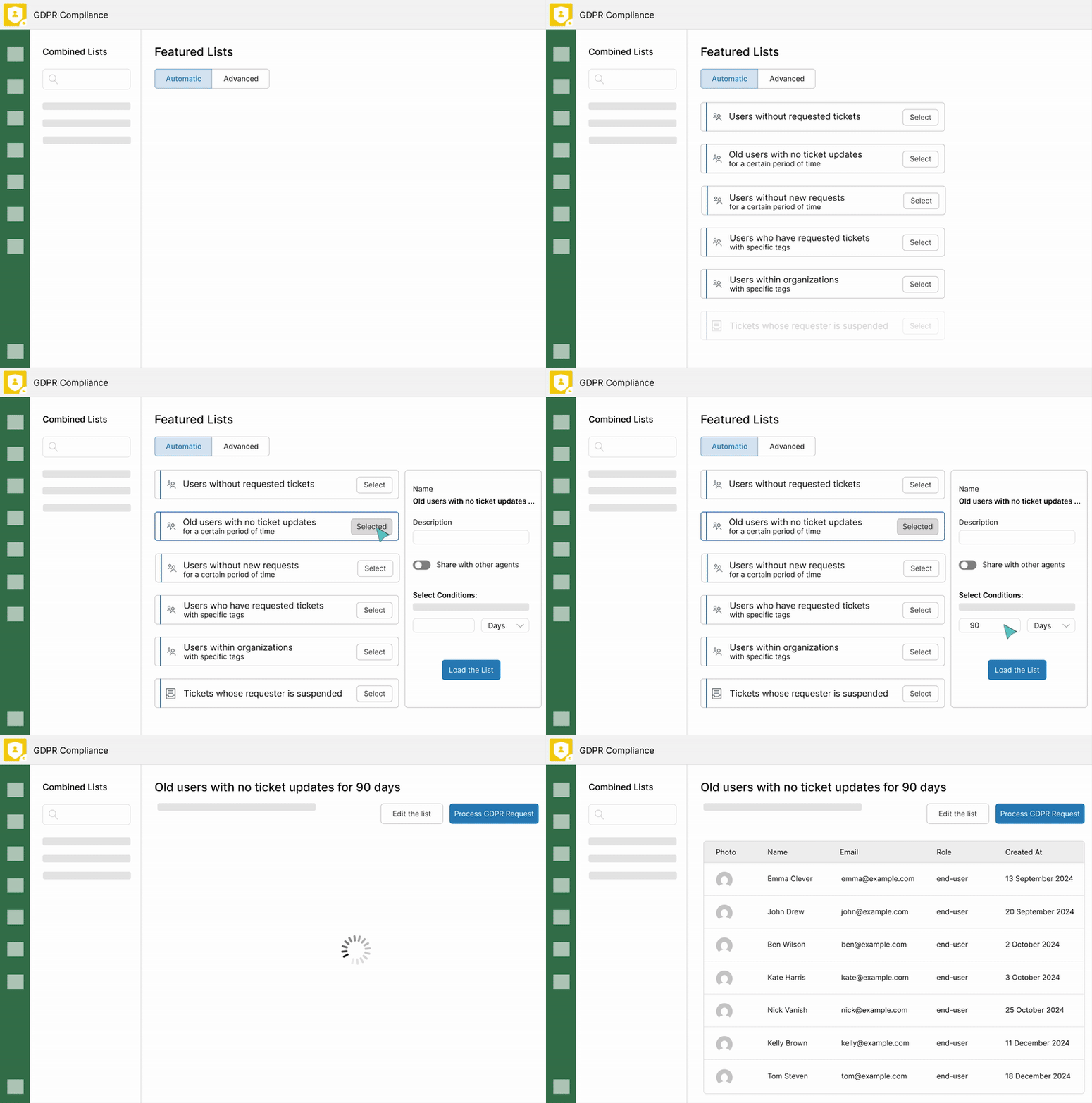
2. The advanced method lets you build custom lists by mixing and matching users, tickets, and organizations in any combination you need. It’s a flexible approach with a simple setup.
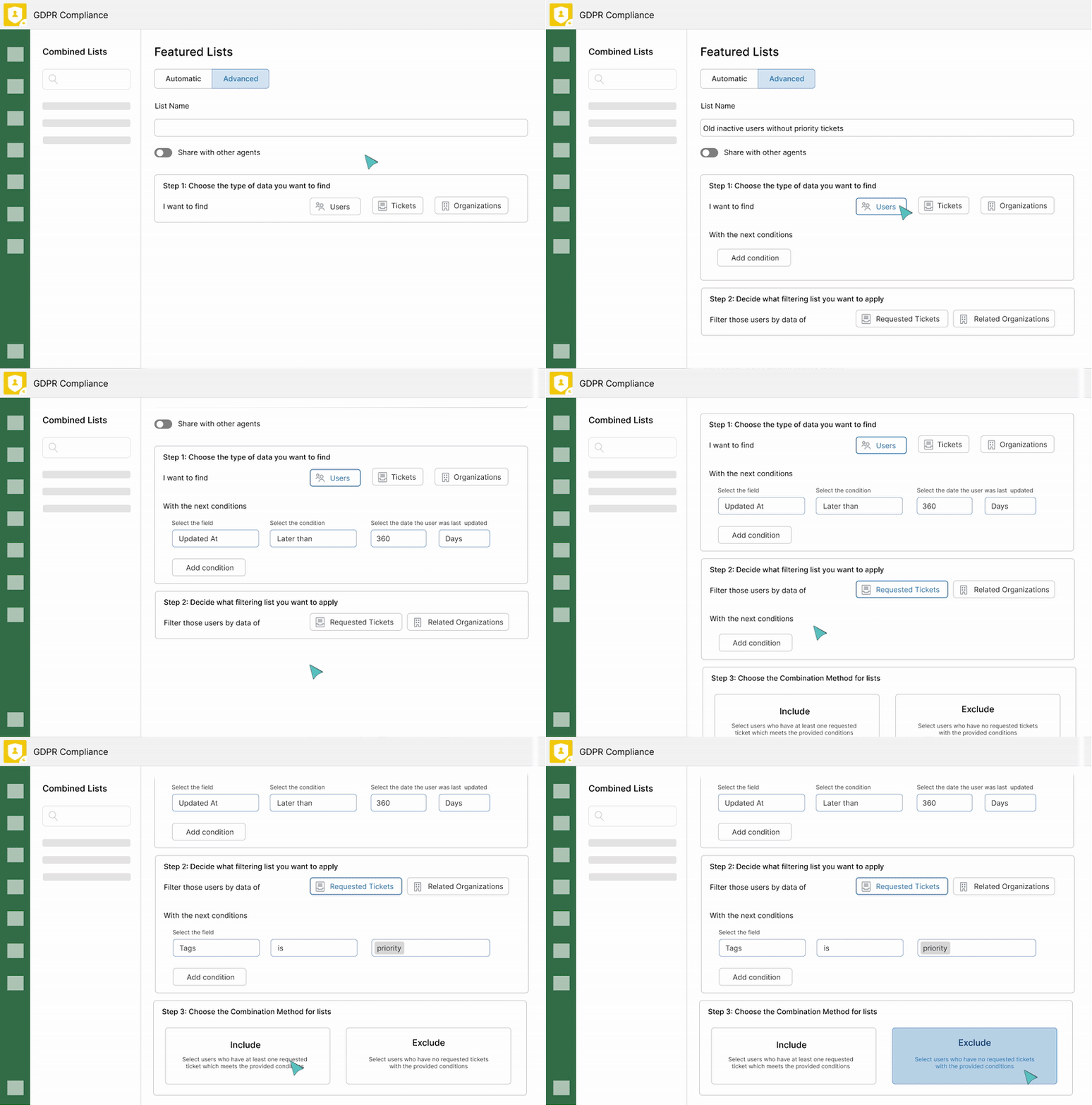
Have questions or want to learn more about what’s possible with Combined Lists? Just ask below.